
Fiscal Info TV – Digital Signage Software for Businesses, Schools, and Public Spaces
Publish content to digital signage displays directly from Canva, PowerPoint, Word, and Excel.
No extra software – just seamless operation. A Finnish cloud service that works.
Used by hundreds of organizations.
€19/month per display | Made in Finland | Over 30 years of experience
Who is Fiscal Info TV for?
Fiscal Info TV is designed for the needs of various industries. Select your target group and see how digital signage benefits your organization:
Internal communications, goals, and sales tracking on displays. Reach your entire staff in real time.
Safety notices, production figures, instructions, disruptions, and alerts on displays.
Schedules, events, announcements, and menus in school lobbies.
Queue numbers and wait times in waiting areas and corridors. Staff announcements in break rooms.
Municipal announcements, service point information, and events in municipal and partner facilities.
Digital menu boards, offers, and events in windows and interiors.
How It Works – Four-Step Process
1. Create Content
Use familiar tools like Canva, PowerPoint, Word, Excel.
Support for over 50 file formats. No need to learn new software.
2. Publish
Publish content to digital signage displays with one click directly from the application.
3. Schedule
Set the time and duration for each piece of content. Different content for morning, afternoon, and weekends.
4. Manage
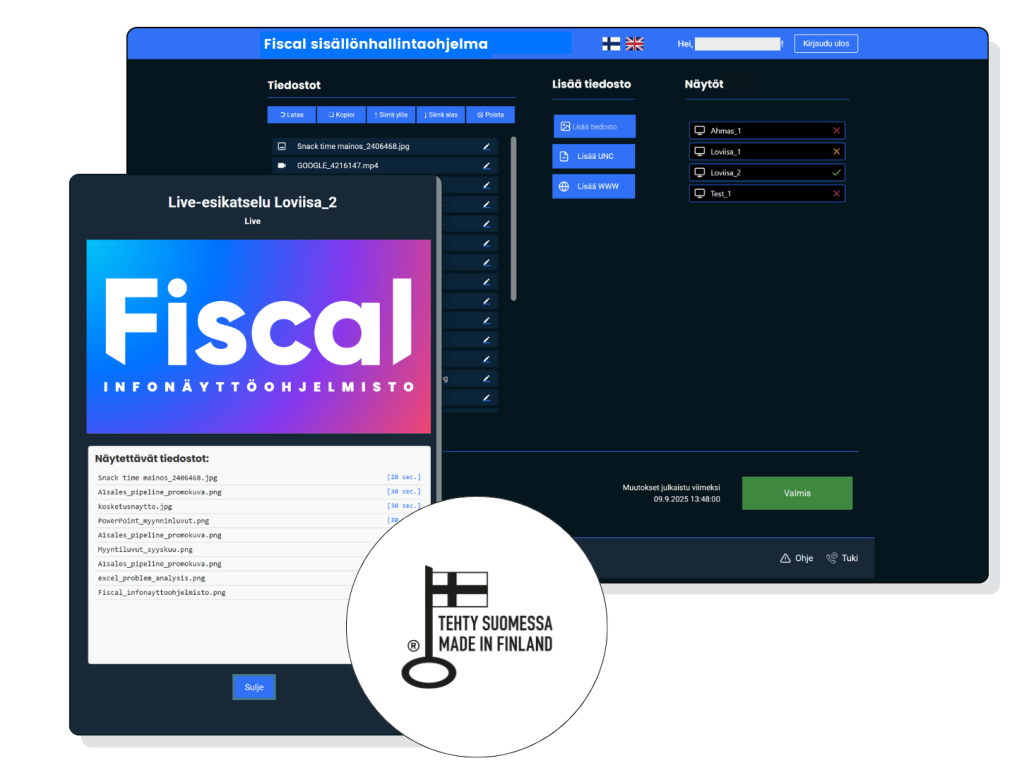
Monitor display status in real time with Fiscal Manager. Manage one or hundreds of displays.
Key Features
Fiscal Info TV is a comprehensive digital signage software that includes everything you need:
📺 Display Software
- Windows Player – most versatile, supports over 50 file formats.
- Android Player – affordable option for Android devices
- Android TV – directly on smart TVs
- Virtual Player – display in browser, simply embed on your own site.
🔧 Publishing Tools
- Canva – publish directly from Canva
- Chrome/Edge – browser extension. Publish any file directly from your browser.
- Office – PowerPoint, Word, and Excel open work directly to display
- Data Bridge – real-time data sources
Clear and Affordable Pricing
€19/month per display (VAT 0%). One price – everything included.
✅ Cloud service (Fiscal Manager)
✅ All publishing tools (Canva, Office, Chrome/Edge)
✅ Windows + Android Player
✅ Data Bridge Designer
✅ Support in Finnish and English
✅ Continuous updates
✅ No commitment period – cancel anytime
Need a more comprehensive solution? Request a quote – multiple options available for digital signage systems (hardware delivery and installation only in mainland Finland).